
Get Personalized Health Reports Online: A Step-by-Step Guide
Table of Contents
- What You'll Need to Get Started
- How to Access Your Medical Records Through the NHS App
- How to Request GP Medical Records Directly
- Understanding Your Data: Interpreting Blood Test Results Online
- Uploading and Organizing Your Medical Documents
- Your Rights: GDPR Medical Data Rights and Data Portability
- Getting Personalized Health Insights Beyond Standard Reports
- Common Mistakes to Avoid When Managing Your Health Data
What You'll Need to Get Started
Before accessing personalized health reports online, you'll need a reliable internet connection and device (smartphone, tablet, or computer), valid identification to verify your identity, and your NHS number (found on your NHS card, prescription, or appointment letters). For at-home diagnostic testing like Bien-Etre offers, you'll need a quiet space and 10-15 minutes to complete the kit. Have your GP's contact details handy to discuss any findings that require professional interpretation.
How to Access Your Medical Records Through the NHS App
Download the NHS App from your phone's app store (free on iOS and Android) and register with your NHS login credentials or create a new account. Verify your identity using NHS login, GP online services login, or biometric verification. Once verified, navigate to "Medical Records" to access your GP record summary, including appointment history, prescriptions, allergies, and immunisations.
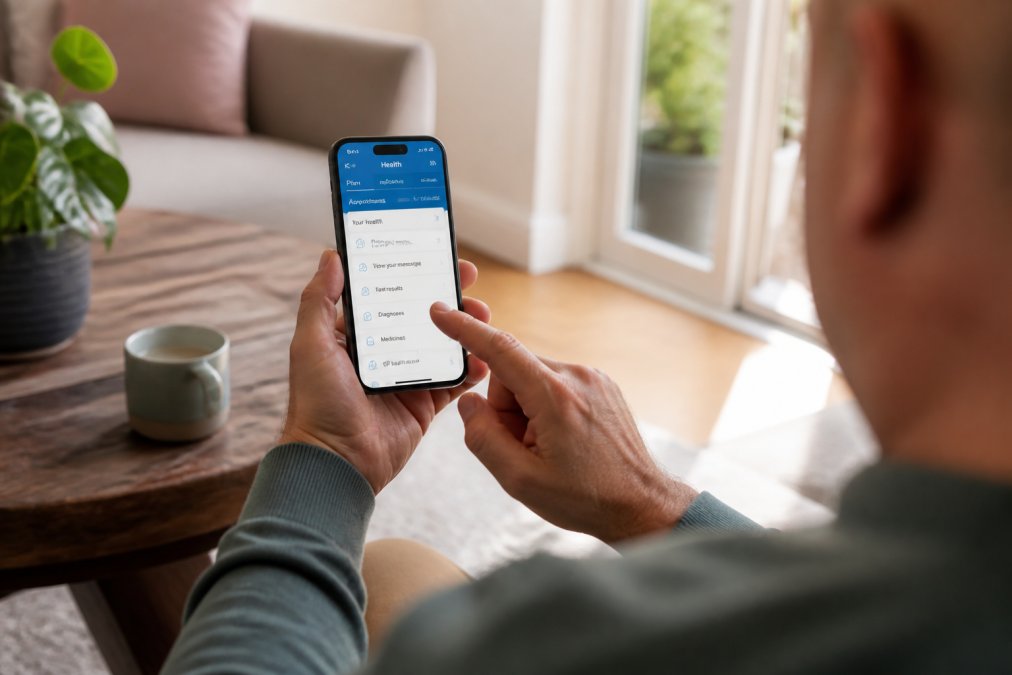
Note that the NHS App shows only records held by your GP practice, not specialist appointments, hospital admissions, or private healthcare. You may need to request those records separately. The app also allows you to set up alerts for new results and appointment reminders.
How to Request GP Medical Records Directly
If your GP practice hasn't integrated with the NHS App or you need historical records, contact your practice's reception desk and request a Subject Access Request (SAR) under the Data Protection Act 2018. You can submit this in person, by phone, email, or through the online patient portal. The practice must provide your records within 30 days.
Be specific about what you need, entire medical history or records from a specific date range? The clearer your request, the faster it's fulfilled. The practice may charge a fee depending on volume, though they cannot charge if you're using records for a complaint or claim. Once received, you can share these records with private practitioners or diagnostic services like Bien-Etre, which uses baseline health information to create more personalised insights.
Understanding Your Data: Interpreting Blood Test Results Online
Blood test results include numbers and abbreviations with reference ranges showing "normal" values for your age and sex. Common markers include haemoglobin (oxygen-carrying capacity), white blood cell count (immune function), and cholesterol (heart health). Results outside the reference range don't automatically indicate a problem, context matters enormously.
A slightly elevated white blood cell count might indicate your body is fighting a minor infection or represent normal variation. Your GP considers your symptoms, medical history, and other results before drawing conclusions. When you receive results online, look for the test name, your result, reference range, and any lab flags. Bien-Etre's personalised health reports explain what results mean in practical terms, whether your NAD⁺ levels suggest optimised cellular energy or whether your DNA nutrition profile indicates different nutrient metabolism, rather than just displaying numbers.

If unsure about any result, ask your GP or qualified practitioner to explain. Never rely solely on online interpretation tools, which cannot replace professional medical judgment.
Uploading and Organizing Your Medical Documents
Create a system to organize medical records from various sources using cloud storage like OneDrive or Google Drive, organized by year, condition, or healthcare provider. Use clear naming conventions: "2026_08_GP_Blood_Test_Results.pdf" instead of "Scan001.pdf."
Create a master spreadsheet listing key health data: test dates, test types, key results, and document locations. This becomes invaluable during appointments or when discussing data with practitioners. Use password-protected or encrypted storage for sensitive information. When working with personalised health services like Bien-Etre, uploading existing medical history helps create a complete picture and enables more accurate personalised recommendations. Regularly back up documents in a separate location.
Your Rights: GDPR Medical Data Rights and Data Portability
The Data Protection Act 2018 gives you specific rights over your personal health information. You have the right to access your data (through NHS App or Subject Access Requests), correct inaccurate information within 30 days, and request data portability, receiving your health data in a structured format (PDF or CSV) to transfer to another provider.
You can restrict processing of your data and request erasure in certain circumstances, though healthcare providers may retain some data for legal or clinical safety reasons. You have the right to know if your data has been breached. When using private diagnostic services like Bien-Etre, your data is subject to the same GDPR protections, review their privacy policy before sharing information. If your rights are violated, lodge a complaint with the Information Commissioner's Office (ICO).
Getting Personalized Health Insights Beyond Standard Reports
Standard NHS blood tests provide snapshot data at a single point in time. Personalised health reports contextualize your results against your individual biology, not just population averages, combining genetic profiles, biomarkers, lifestyle data, and medical history.

A standard blood test might show your NAD⁺ level is within normal range. A personalised report explains what that level means specifically for your cellular energy production, recovery speed after exercise, and how it compares to others your age with similar activity levels. Bien-Etre's NAD⁺ testing uses clinical-grade diagnostics to measure intracellular NAD⁺ levels, providing insights tailored to your specific biology rather than generic guidance.
DNA-based analysis reveals how you metabolise nutrients, how your skin ages and repairs, and how you respond to exercise intensities. Personalised nutrition reports explain which nutrients your body needs based on your genetic makeup and in what forms your body absorbs them most effectively. The key difference is agency: standard reports tell you what's normal; personalised reports tell you what's optimal for you and what changes might move you toward that optimum.
When requesting personalised health reports, look for services that explain their methodology and cite research, legitimate services don't hand you recommendations without context.
Common Mistakes to Avoid When Managing Your Health Data
Assuming your medical records are complete is a frequent error. NHS records may not include specialist appointments, hospital procedures, or private healthcare. Actively gather records from all healthcare providers to build a complete picture.
Treating online health reports as diagnostic tools is another mistake. Personalised insights are valuable for understanding your biology, but they're not replacements for medical diagnosis. Discuss symptoms with your GP and use personalised data as supporting information. Update your records when circumstances change, new medications, allergies, or significant health changes should be reported to your GP promptly. Outdated records can lead to inappropriate recommendations or missed drug interactions.
Avoid sharing health data carelessly. Verify services are legitimate and use proper data security before uploading records. Don't over-interpret minor variations in test results, a single result slightly outside normal range often means nothing if you're feeling well. Finally, don't assume more testing always means better health. Order tests strategically when you have specific questions and commit to acting on results.
Getting personalised health reports online puts your health data in your hands. The combination of NHS records, private diagnostics, and personalised analysis creates a comprehensive picture of your unique biology. Bien-Etre's clinical-grade testing and jargon-free reporting help you move beyond generic wellness advice to understand exactly how your body works and what it needs. Start by accessing your NHS records through the NHS App, then explore personalised diagnostic options that answer your specific health questions. With clear data and professional guidance, you can make informed decisions about your health and recovery.
| Step | Action | Key Outcome |
|---|---|---|
| 1 | Download NHS App and verify identity | Access your GP medical records digitally |
| 2 | Request GP records directly if needed | Obtain complete medical history documentation |
| 3 | Gather records from all healthcare providers | Build comprehensive health picture |
| 4 | Organise documents with clear naming system | Quick access to information during appointments |
| 5 | Understand your legal data rights under GDPR | Know how to protect and control your health information |
| 6 | Order personalised diagnostic testing | Receive tailored insights beyond standard reports |
| 7 | Interpret results with professional guidance | Translate data into actionable health decisions |
Frequently Asked Questions
How do I access my medical records through the NHS App?
Download the NHS App from your device's app store and sign in with your NHS login credentials. Once authenticated, navigate to 'Health Records' to view your medical history, prescriptions, and test results. Not all GP practices have uploaded their full records yet, so you may need to request older documents directly from your GP surgery if they're not visible in the app.
What's the difference between NHS records and personalized health reports?
NHS records show your historical medical data, diagnoses, medications, and test results from your GP. Personalized health reports go further by analyzing your lab results in context of your individual biology and lifestyle. For example, a personalized report might explain what your NAD⁺ levels mean for your energy and recovery, or how your DNA influences your nutritional needs, rather than just showing the raw numbers.
Can I request my medical records if my GP practice hasn't uploaded them to the NHS App?
Yes. Under GDPR, you have the right to request a copy of your medical records from your GP surgery. Submit a Subject Access Request (SAR) in writing or through your GP's patient portal. Your practice must provide the records within 30 days, usually as a PDF or printed document. You can then upload these documents to secure health platforms for personalized analysis.
Is it safe to upload my medical documents to online analysis tools?
Reputable health platforms use data encryption and comply with GDPR regulations to protect your information. Before uploading, verify the platform's privacy policy, check for industry certifications, and confirm they don't sell your data to third parties. Always use platforms with secure login authentication and clear data ownership terms so you retain control of your health information.
This article was written using GrandRanker